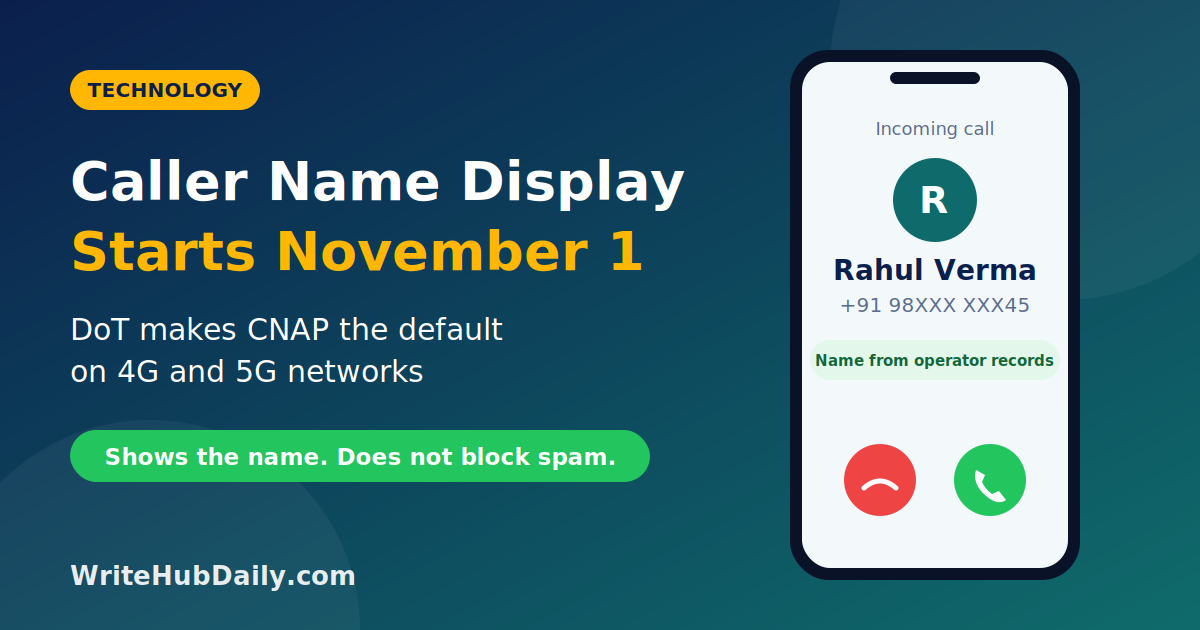
Caller name display India becomes the default on mobile networks from November 1, 2026. The Department of Telecommunications (DoT) has directed telecom operators to introduce Calling Name Presentation (CNAP) on 4G and 5G networks, so that people who get calls from unsaved numbers will see a name alongside the number, without installing any app.
The change is meant to help people recognise who is calling and be more careful with unknown callers. It is useful, but it also has limits. Here is how it works, who it covers and how to stay safe.
Caller Name Display India: Key Facts
| Item | Details |
|---|---|
| Service name | Calling Name Presentation (CNAP) |
| Start date | November 1, 2026 |
| Ordered by | Department of Telecommunications (circular dated October 13, 2026) |
| Networks covered | 4G and 5G (2G, 3G and landlines are not covered for now) |
| Do you need to apply? | No. Operators must provide it without a separate request from you |
| Does it block spam? | No. It shows the caller's name but does not block calls |
What Is CNAP?
CNAP is a network service that lets the person receiving a call see information about the caller. In India, it will show the caller's name next to their phone number on 4G and 5G networks. The idea was introduced as a built-in alternative to caller identification apps such as Truecaller.
How Will Caller Name Display Work?
- Saved contacts: if the caller's number is in your contact list, you will see the name you saved first.
- Unsaved numbers: you will see the number along with the name recorded by the caller's telecom operator, which comes from the caller's KYC (Know Your Customer) details.
- Privacy limits: callers who have used the existing calling line identification restriction (CLIR) facility will not have their names displayed. Operators must also design the service so that the caller's name is not stored by the system after the call ends.
- Businesses: separate provisions allow businesses and bulk subscribers who want a preferred name to be shown, with checks to make sure the name is backed by verified registration records.
Why Is the Government Doing This?
India has seen many frauds that begin with a phone call, including fake bank, courier and customer-care calls. Showing a registered name is meant to help people judge unknown callers more easily and to reduce fraud. TRAI agreed in October 2025 that the service should be available by default, instead of only on request, and the DoT's rollout deadline was later fixed for November 1, 2026.
Telecom companies have been preparing their systems. Reports say Airtel and Vodafone Idea partnered with Nokia to deploy the technology they need, while Jio, which runs only 4G and 5G networks, built its own system.
What CNAP Cannot Do
- It does not block spam or scam calls. It only shows more information about the caller.
- A name is not a guarantee of safety. The name shows who the SIM is registered to. A call from a real-looking name can still be a scam, for example if a SIM was obtained with someone else's details or the caller is pretending to be an official.
- It does not cover everyone yet. The first phase covers 4G and 5G mobile networks. 2G, 3G and landline networks will be considered separately.
- Rollout may be uneven. It may take time before every operator, region and phone model shows names correctly.
What You Should Do
- Nothing to activate: operators must offer the service by default. If you do not see names after November 1, ask your operator.
- Keep saving contacts: your own saved name is shown first, so keep your contact list up to date.
- Treat names as one clue: never share your OTP, UPI PIN, card details or passwords with any caller, even if a trusted-looking name appears.
- Call back on official numbers: if a caller claims to be from your bank or a courier company, hang up and call the official number from the company's website or your card.
- Report fraud quickly: if you lose money, call your bank, then the National Cyber Crime Helpline 1930, and file a complaint on cybercrime.gov.in. You can also report suspected fraudulent calls on the government's Sanchar Saathi portal.
For more on staying safe from phone and online fraud, read our guides on festive sale scams in India and how AI is changing online security.
What to Watch Next
- How accurate and consistent the displayed names are across operators and phone models.
- Whether the service will be extended to 2G, 3G and landline calls.
- How businesses get verified names displayed, and whether this helps reduce spam from unregistered senders.
- Whether scammers find new ways to get around the system, and how quickly regulators respond.
Frequently Asked Questions
What is CNAP in India?
CNAP stands for Calling Name Presentation. It is a telecom service that shows the caller's name next to their number on your phone when you receive a call.
When does caller name display start?
The DoT has ordered operators to introduce it from November 1, 2026, on 4G and 5G networks.
Do I need to install an app or pay for CNAP?
No app is needed, and operators must provide the service without a separate request from users.
Whose name will I see on an unknown call?
You will see the name recorded by the caller's telecom operator from their KYC details. If the number is saved in your contacts, your own saved name appears first.
Can I hide my name when I call?
Callers who have availed the existing calling line identification restriction facility will not have their names displayed under CNAP.
Does CNAP stop spam calls?
No. It helps you see who is calling, but it does not block spam or scam calls.
Conclusion
Caller name display India is a useful step: for many people, seeing a registered name next to an unknown number will make it easier to decide whether to answer. But it is not a spam filter, and a name on the screen is not proof that a caller is genuine. Keep treating unexpected calls about money, KYC or OTPs with caution, and report fraud quickly.
Disclaimer: This article is for general information and is based on the DoT circular and media reports published in October 2026. Details may change, and rollout may vary by operator and device. For official information, visit the Department of Telecommunications and contact your telecom operator.