
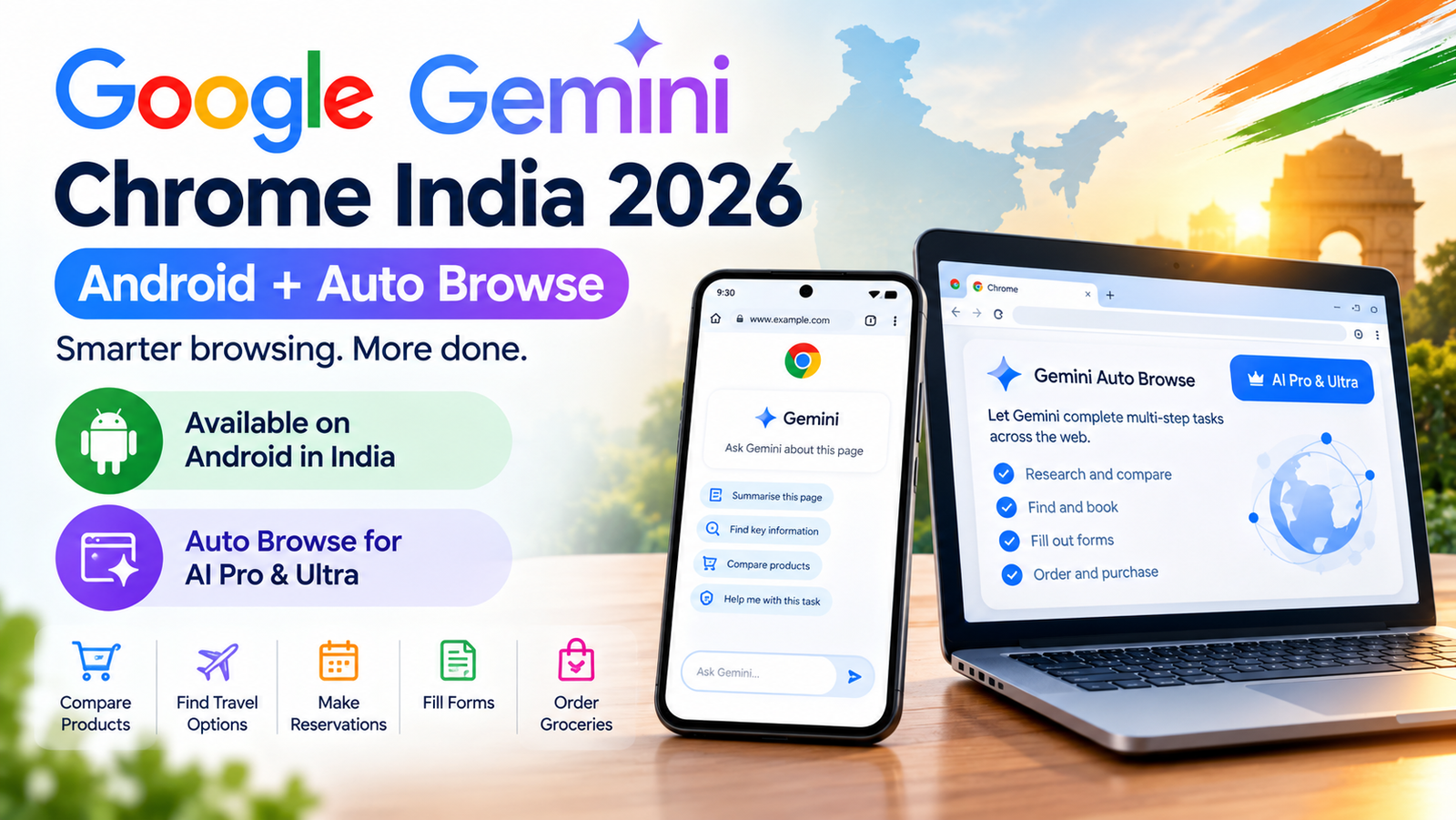
Google Gemini Chrome India 2026 is getting a major update as Google expands Gemini in Chrome to Android users in India and brings its Auto Browse feature to the country.
Gemini in Chrome can help users understand webpages, summarise long articles, answer questions about content and work with selected Google apps without leaving the browser. Auto Browse takes this further by allowing Gemini to complete certain multi-step tasks across websites.
The new features could make Chrome more useful for everyday activities such as researching products, comparing information, filling forms and handling other repetitive online tasks.
Google Gemini in Chrome Comes to Android in India
Google has announced that Gemini in Chrome is now available to Android users in India.
The feature was already available on desktop in India. The Android expansion means users can access Gemini directly while browsing on their phones instead of switching between Chrome and a separate AI application.
Google describes Gemini in Chrome as an AI browsing assistant that understands the webpage a user is viewing and can provide help based on that content.
What Can Gemini in Chrome Do?
Gemini in Chrome is designed to work with the webpage currently open in the browser.
Users can use it for tasks such as:
- Summarising long webpages
- Explaining difficult information
- Answering questions about a webpage
- Finding important information on a page
- Connecting information with selected Google apps
- Creating or editing images while browsing
- Helping with research and everyday online tasks
This makes the browser itself more like an AI-assisted workspace rather than simply a tool for opening websites.
What Is Gemini Auto Browse?
Auto Browse is the more advanced part of Google's latest Gemini in Chrome update.
Instead of only answering a question or summarising a webpage, Auto Browse can perform a sequence of actions across websites on the user's behalf.
For example, Google says users can ask Gemini to handle tasks such as researching information, filling out forms, finding products, comparing prices and completing other routine online activities.
Business Standard reported that Google's examples include booking parking, ordering groceries and researching hotel or flight prices across different dates.
Who Can Use Gemini Auto Browse in India?
There is an important difference between Gemini in Chrome and Auto Browse.
| Feature | Availability |
|---|---|
| Gemini in Chrome on Android | Available to Android users in India, subject to Google's rollout requirements |
| Gemini in Chrome on desktop | Available in India |
| Auto Browse | Google AI Pro and Google AI Ultra users |
| Android requirement | Android 12 or higher |
| RAM requirement | At least 4GB RAM |
| Language | English for Gemini in Chrome on Android |
Google's support documentation says Gemini in Chrome on Android is currently available in India and requires Android 12 or higher, at least 4GB of RAM and the latest version of Chrome. The Android experience is currently supported in English.
How Auto Browse Works
Auto Browse is designed to complete a series of actions rather than simply provide information.
A typical workflow could look like this:
- The user describes the task in Gemini in Chrome.
- Gemini creates a plan for completing the task.
- The user reviews the proposed plan.
- Gemini navigates relevant websites and performs permitted actions.
- The user can monitor, pause or stop the task.
- Gemini asks the user to take over when an action requires personal confirmation.
This approach gives users more control over an AI agent that can interact with websites.
Examples of What Gemini Auto Browse Can Do
1. Compare Products
A user could ask Gemini to research several products, compare their prices and identify suitable options.
Google's documentation says Auto Browse can help users search for deals, compare products and add items to a shopping basket.
2. Research Travel
Gemini can help research travel accommodation and compare information across websites based on the user's requirements.
3. Fill Online Forms
Instead of manually moving between pages and entering information, Auto Browse can handle parts of certain multi-step online workflows.
4. Online Shopping
Users could ask Gemini to find products based on an image, compare prices, add an appropriate item to a shopping cart and look for available discounts.
5. Everyday Online Tasks
Google's examples include tasks such as ordering groceries, booking parking and researching information across multiple websites.
Gemini in Chrome and Google Apps
Gemini in Chrome is not limited to understanding the current webpage.
Google says the assistant can work with selected Google apps and services, helping users perform tasks such as adding information to Calendar or saving information to Keep.
This means the browser can become a central place for research, planning and information management.
Is Gemini in Chrome Available on Every Android Phone?
No. Availability depends on Google's supported regions, device requirements, software version and account eligibility.
For Android users in India, Google currently lists Android 12 or higher and at least 4GB of RAM among the requirements. Users should also have the latest version of Chrome and be signed in to Chrome.
Google is gradually rolling out some Gemini in Chrome features, so availability can vary between users even when their devices meet the basic requirements.
Auto Browse Has Important Security Controls
Giving an AI permission to interact with websites creates additional security and privacy risks.
For example, a webpage could contain instructions designed to manipulate an AI agent. This type of attack is commonly known as prompt injection.
Google says its systems are designed to detect known threats such as prompt injection. Auto Browse can also ask the user for confirmation before completing sensitive actions.
Google's support documentation says users should review Gemini's plan before starting a task and may need to confirm sensitive steps.
Should You Use Gemini Auto Browse for Important Tasks?
Users should still remain careful when allowing an AI agent to interact with websites.
For low-risk tasks such as researching products or summarising information, AI assistance can save time.
For sensitive activities involving banking, payments, personal documents, account credentials or important purchases, users should carefully review every step before allowing the AI to continue.
Google's own documentation makes clear that Auto Browse may interact with websites and may share relevant personal information with those websites when completing a task.
Google Gemini Chrome vs Normal Gemini App
| Feature | Gemini App | Gemini in Chrome |
|---|---|---|
| Answer questions | Yes | Yes |
| Summarise webpages | Possible | Yes, directly in browser |
| Understand current webpage | Limited by workflow | Designed for this |
| Work with Google apps | Yes | Yes, for supported workflows |
| Auto Browse | Not the same experience | Yes, for eligible users |
| Multi-step web tasks | Limited | Auto Browse supports them |
Why Google's Chrome AI Push Matters
The expansion of Gemini into Chrome shows how AI assistants are moving beyond traditional question-and-answer interactions.
Instead of simply generating information, newer AI systems are increasingly designed to understand webpages, use applications and perform sequences of actions.
This could eventually change how people search for products, plan travel, complete forms and manage routine online work.
For businesses, it also highlights the growing importance of websites that are easy for both humans and AI systems to understand and interact with.
What Indian Users Should Know
- Gemini in Chrome is now available on Android in India.
- Android users need a supported device and Chrome version.
- Gemini in Chrome on Android currently supports English.
- Auto Browse is more advanced than normal webpage summarisation.
- Auto Browse is available to eligible Google AI Pro and Google AI Ultra users.
- Some sensitive actions require user confirmation.
- Users should review AI-generated plans before allowing tasks to run.
Google Gemini Chrome India 2026: What Changes for Users?
The biggest change is that Gemini is becoming more deeply integrated into the browser.
For Android users in India, Gemini can now assist directly while browsing. For eligible Pro and Ultra subscribers, Auto Browse adds the ability to handle more complicated multi-step web tasks.
This moves Gemini closer to an AI agent that can act on the web rather than simply answer questions about it.
Frequently Asked Questions
Is Gemini in Chrome available in India?
Yes. Google says Gemini in Chrome is available to Android users in India, subject to supported device, account, language and rollout requirements.
Is Gemini Auto Browse available in India?
Yes. Google is rolling out Auto Browse in India on desktop and Android for eligible Google AI Pro and Google AI Ultra subscribers.
Can Gemini Auto Browse fill forms?
Yes. Auto Browse is designed to handle certain multi-step web tasks, including filling forms and other routine online activities.
Can Gemini Auto Browse buy products?
Auto Browse can help research products, compare prices and add suitable products to a shopping basket. Sensitive actions may require user confirmation.
What Android version is required for Gemini in Chrome?
Google currently lists Android 12 or higher as a requirement for Gemini in Chrome on Android.
Does Gemini in Chrome work in Hindi?
Google's current Android support documentation lists English as the supported language for Gemini in Chrome on Android. Availability and supported languages can change as Google expands the feature.
Final Takeaway
Google Gemini Chrome India 2026 marks another step toward AI-powered browsing. Gemini in Chrome is now reaching Android users in India, while Auto Browse gives eligible Pro and Ultra subscribers a way to automate selected multi-step web tasks.
The technology could save time on research, shopping, travel planning and routine online activities. However, users should remain involved when an AI agent handles sensitive information, accounts or purchases.
As AI moves directly into browsers, the difference between a search assistant and an AI agent is becoming increasingly smaller.
Related Articles from WriteHubDaily
- Google Gemini Changes October 2026: What Users Need to Know
- AI Agents 2026: How AI Is Moving Beyond Chatbots
- 10 Best AI Tools 2026: Useful AI Tools to Try
- How to Use AI Safely in 2026
- India IT Sector AI 2026: Why AI Could Drive New Growth
Sources
- Google – Bringing Gemini in Chrome with Auto Browse to India
- Google Chrome Help – Gemini in Chrome availability
- Google Gemini Help – Auto Browse
- Business Standard – Google expands Gemini in Chrome with Auto Browse in India
Disclaimer: Features and availability described in this article are based on information available at publication time. Google may change Gemini features, supported devices, plans, languages or regional availability. Always review sensitive actions before allowing an AI assistant to complete them.