
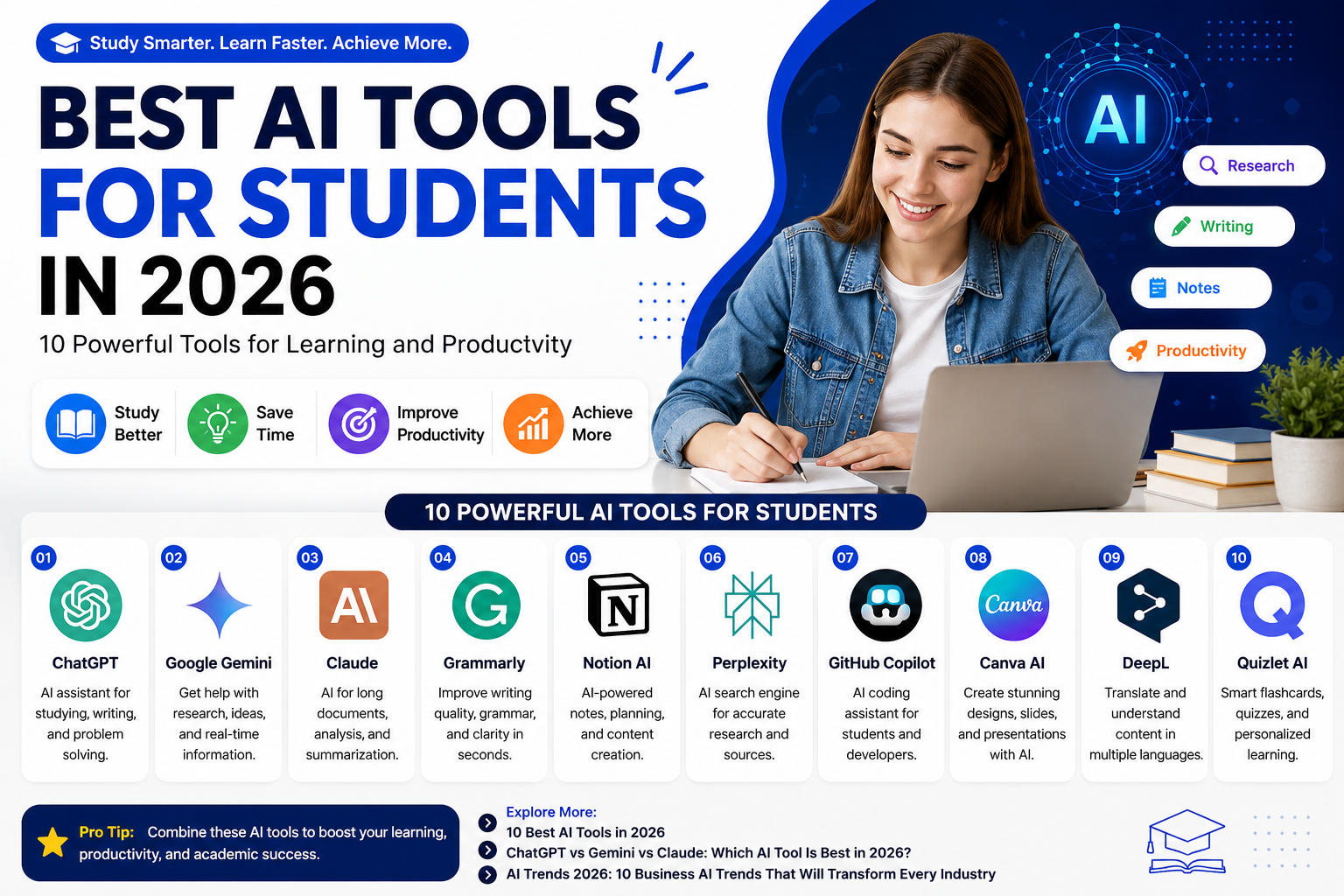
Best AI Tools for Students in 2026: 10 Powerful Tools for Learning and Productivity
Choosing the right AI tool can make studying, research, writing, and exam preparation easier. In 2026, students can use AI for tasks such as explaining difficult concepts, creating practice questions, organizing notes, improving writing, learning programming, and preparing presentations.
But not every AI tool is designed for the same job. Some are better for general learning, while others focus on research, writing, coding, visual projects, or revision. This guide compares 10 AI tools for students in 2026 and explains what each tool is useful for, who may benefit from it, and how to use AI responsibly. If you want a broader overview, you can also read our guide to 10 Best AI Tools in 2026 .
Important: AI tools can sometimes produce incorrect or incomplete information. Always verify important information and follow your school or university's rules regarding AI.
Last updated: August 27, 2026
Reviewed for: AI tools, student use cases, and current features
Article type: Educational guide
Table of Contents
- Who Is This Guide For?
- ChatGPT
- Google Gemini
- Claude
- Grammarly
- Notion AI
- Perplexity
- GitHub Copilot
- Canva AI
- DeepL
- Quizlet
- Best AI Tools for Students: Quick Comparison
- Which AI Tool Should Students Use for Each Task?
- How to Choose the Best AI Tool for Your Studies
- How Students Should Use AI Responsibly
- Simple AI Study Workflow
- Frequently Asked Questions
- Our Editorial Approach
- Final Thoughts
Who Is This Guide For?
This guide is designed for students who want to understand how different AI tools can support their everyday study and academic tasks. You do not need to use every tool listed here. The best choice depends on what you are trying to accomplish.
- School students: Use AI to understand concepts, practice questions, organize study material, and prepare for exams.
- College and university students: Use AI for research, writing support, project planning, presentations, and study organization.
- Programming students: Use coding assistants to learn programming concepts, understand code, and practice debugging.
- Students learning languages: Use translation and language tools to understand unfamiliar material and practice vocabulary.
AI should support your learning rather than replace it. Always follow the academic policies of your school, college, or university before using AI for assignments or coursework.
1. ChatGPT
ChatGPT is a versatile AI assistant that can help students with studying, writing, brainstorming, coding, and problem-solving.
Students can use it to:
- Explain difficult concepts
- Create practice questions
- Brainstorm project ideas
- Practice coding
- Review written work
- Create study plans
Best for: General learning, studying, writing, coding, and productivity.
If you're comparing popular AI assistants, see our guide to ChatGPT vs Gemini vs Claude: Which AI Tool Is Best in 2026? .
2. Google Gemini
Google Gemini is an AI assistant that can help students with research, brainstorming, writing, explanations, and productivity.
Gemini can be useful for:
- Research assistance
- Brainstorming
- Writing support
- Summarizing information
- Learning explanations
- Productivity tasks
Best for: Students who use Google services and want an AI assistant for research and productivity.
3. Claude
Claude is particularly useful for working with long documents and detailed text. Students can use it to organize information, analyze documents, and improve the structure of written work.
- Long-document analysis
- Research assistance
- Summarization
- Writing feedback
- Brainstorming
- Detailed explanations
Best for: Research, document analysis, and detailed writing.
4. Grammarly
Grammarly is a writing assistance platform that can help students improve grammar, spelling, clarity, and communication.
- Grammar checking
- Spelling
- Sentence clarity
- Writing feedback
- Professional communication
Best for: Improving writing quality and clarity.
5. Notion AI
Notion AI combines note-taking, organization, project management, and AI-powered features in one workspace.
- Organizing class notes
- Planning projects
- Creating outlines
- Managing tasks
- Summarizing notes
- Organizing study material
Best for: Notes, organization, and study planning.
6. Perplexity
Perplexity is an AI-powered search and research tool that can help students explore topics and find information for further research.
- Initial research
- Exploring unfamiliar topics
- Finding sources
- Comparing information
- Research questions
Students should open and evaluate original sources instead of relying only on an AI-generated summary.
Best for: Research and information discovery.
7. GitHub Copilot
GitHub Copilot can help students who are learning programming by providing coding suggestions, explanations, and assistance with programming tasks.
- Learning programming
- Code explanations
- Debugging assistance
- Code suggestions
- Programming projects
Students should understand the code they use rather than simply copying AI-generated code.
Best for: Programming and software development students.
8. Canva AI
Canva AI can help students create presentations, posters, graphics, and other visual projects.
- Presentations
- Posters
- Infographics
- Project designs
- Visual learning materials
Best for: Presentations and visual projects.
9. DeepL
DeepL is a translation and language-support tool that can be useful for students working with multiple languages.
- Translation
- Language learning
- Understanding foreign-language material
- Vocabulary support
- Writing assistance
Best for: Translation and multilingual learning.
10. Quizlet
Quizlet can help students practice information using digital study tools such as flashcards and quizzes.
- Flashcards
- Practice questions
- Vocabulary
- Exam preparation
- Memorization
Best for: Revision, memorization, and exam preparation.
Best AI Tools for Students: Quick Comparison
| AI Tool | Best For |
|---|---|
| ChatGPT | General learning and productivity |
| Google Gemini | Research and Google-based productivity |
| Claude | Long documents and detailed analysis |
| Grammarly | Writing and grammar |
| Notion AI | Notes and organization |
| Perplexity | Research and information discovery |
| GitHub Copilot | Coding and programming |
| Canva AI | Presentations and visual projects |
| DeepL | Translation and language learning |
| Quizlet | Flashcards and exam preparation |
Which AI Tool Should Students Use for Each Task?
Different study tasks require different tools. Instead of choosing one AI tool for everything, students can match the tool to the job they need to complete.
| Student Task | Recommended Tool | Why It Can Help |
|---|---|---|
| Understanding difficult concepts | ChatGPT or Claude | Useful for explanations, examples, and follow-up questions. |
| Research and finding information | Perplexity or Gemini | Useful for exploring topics and finding information to investigate further. |
| Improving writing | Grammarly | Useful for grammar, spelling, clarity, and writing feedback. |
| Organizing notes | Notion AI | Useful for organizing notes, tasks, outlines, and study material. |
| Learning programming | GitHub Copilot | Useful for code suggestions, explanations, and debugging assistance. |
| Creating presentations | Canva AI | Useful for presentations, graphics, posters, and visual projects. |
| Learning languages | DeepL | Useful for translation and understanding foreign-language material. |
| Exam revision | Quizlet | Useful for flashcards, quizzes, vocabulary, and memorization. |
A Simple Way to Choose
If you are not sure which tool to use, start with the task rather than the brand. For example, use a general AI assistant when you need an explanation, a research-focused tool when you need to explore sources, a writing tool when you need language feedback, and a study platform when you need repeated practice.
Remember that an AI-generated answer should be treated as assistance rather than automatically correct information. For academic work, check important claims against textbooks, course materials, official sources, or other reliable references.
How to Choose the Best AI Tool for Your Studies
The best AI tool depends on what you are trying to accomplish. Instead of using the same tool for every task, choose a tool based on your specific study needs.
For Understanding Difficult Topics
Use a general AI assistant such as ChatGPT, Google Gemini, or Claude to ask for explanations, examples, and step-by-step guidance. Always verify important information with trusted educational sources.
For Research
Tools such as Perplexity, ChatGPT, Gemini, and Claude can help you explore a topic and identify information for further research. Check the original sources before using information in academic work.
For Writing
Grammarly can help improve grammar, spelling, clarity, and writing style. General AI assistants can also help with brainstorming and creating outlines, but students should follow their school's rules about AI-assisted writing.
For Notes and Organization
Notion AI can be useful for organizing notes, creating outlines, managing tasks, and summarizing study material.
For Coding
GitHub Copilot can assist programming students with code suggestions and explanations. Students should understand and test the code instead of submitting AI-generated code without reviewing it.
For Presentations and Visual Projects
Canva AI can help students create presentations, posters, infographics, and other visual materials for projects.
For Exam Preparation
Quizlet can help students practice using flashcards and quizzes. AI assistants can also generate practice questions that students can use for revision.
How Students Should Use AI Responsibly
AI can be extremely useful, but students should use it as a learning assistant rather than a replacement for learning.
1. Verify Important Information
AI systems can make mistakes. Check important facts against reliable sources, textbooks, academic material, or your instructor's resources.
2. Understand the Answer
Do not simply copy an AI response. Ask follow-up questions and make sure you understand the concept.
3. Follow Academic Rules
Schools and universities have different policies regarding AI. Always follow the rules for your particular course or assignment.
4. Protect Personal Information
Avoid entering sensitive personal information, passwords, private documents, or confidential school information into AI tools unless you understand how the service handles that information. Businesses and organizations also face similar concerns when employees use AI tools without proper oversight. For more information, see our guide to Shadow AI in 2026 and workplace security risks .
5. Use AI for Practice
One of the most useful ways to use AI is to create practice questions, explain difficult topics, generate examples, and test your understanding.
Simple AI Study Workflow
- Learn the topic using an AI assistant.
- Check important information against trusted sources.
- Create organized notes.
- Use flashcards or practice questions.
- Test yourself without looking at the answers.
- Review the areas where you made mistakes.
Frequently Asked Questions
What is the best AI tool for students in 2026?
There is no single best AI tool for every student. ChatGPT, Gemini, and Claude are strong general-purpose options, while tools such as Grammarly, Notion AI, GitHub Copilot, Canva, and Quizlet are useful for specific tasks.
Is AI useful for studying?
Yes. AI can help students understand difficult concepts, create practice questions, organize notes, brainstorm ideas, and review material.
Can students use AI for homework?
This depends on the school's or teacher's rules. Students should always check the academic policy before using AI for assignments.
Which AI tool is best for coding students?
ChatGPT and GitHub Copilot can both be useful for programming students. Claude can also help with code explanations and larger programming tasks.
Which AI tool is best for research?
Perplexity, Google Gemini, ChatGPT, and Claude can all assist with research. Students should verify important claims and review original sources.
Can AI replace studying?
No. AI can support studying, but it should not replace understanding, practice, critical thinking, or independent learning.
Related Articles
- 10 Best AI Tools in 2026
- ChatGPT vs Gemini vs Claude: Which AI Tool Is Best in 2026?
- AI Trends 2026: 10 Business AI Trends That Will Transform Every Industry
- Shadow AI in 2026: Workplace Security Risks
Sources and Official Websites
Our Editorial Approach
WriteHubDaily aims to provide practical and easy-to-understand technology guides. Information about AI tools is reviewed using publicly available information from official product websites and other reliable sources. AI products can change over time, so features, availability, and pricing may change after publication.
We encourage students to verify important information and follow their school's or university's policies before using AI for academic work.
Final Thoughts
AI tools can give students powerful ways to learn, organize information, practice skills, and improve productivity. As AI continues to develop, new tools and use cases are also changing how people work and learn. You can explore some of these developments in our guide to AI Trends in 2026 .
The best strategy is not to depend on one AI tool for everything. Instead, choose the right tool for the task. A general AI assistant can help explain concepts, a writing tool can improve clarity, a research tool can help discover sources, and a study platform can support revision.
Most importantly, students should remain actively involved in the learning process.
Use AI to learn faster, but make understanding the goal—not simply getting an answer.
About WriteHubDaily
WriteHubDaily publishes practical guides about artificial intelligence, technology, business, productivity, travel, and everyday digital topics.